Hackberry Pi
Overview
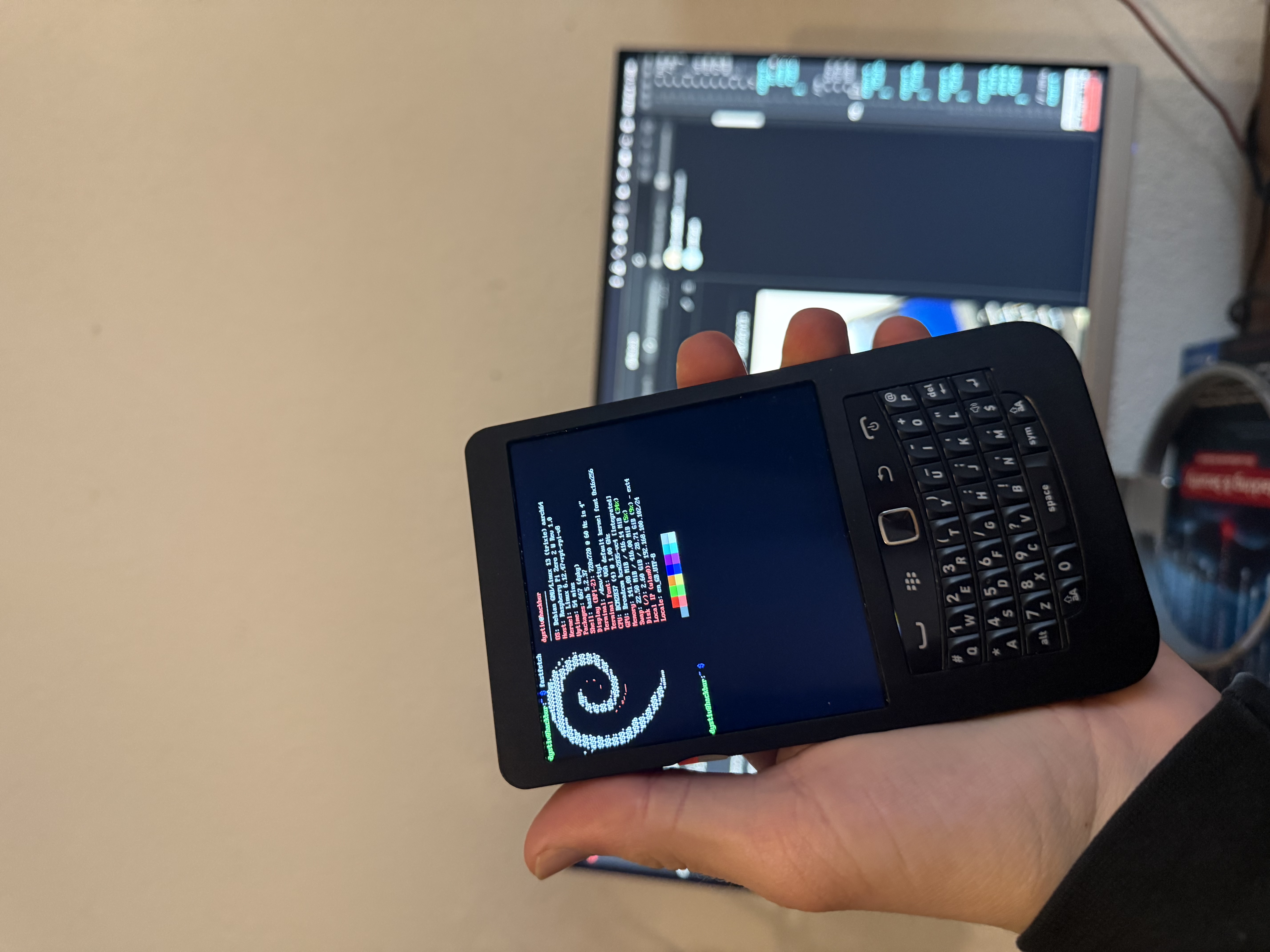
The Hackberry Pi is a linux cyberdeck created by ZitaoTech. There are various versions, however this wiki entry here is mainly focussed around the [Zero 2W][] version.
As the name suggests, this cyberdeck uses a Raspberry Pi at it's core. It is built from second hand blackberry keyboards (as far as im concerned) and 3d printed.
Features
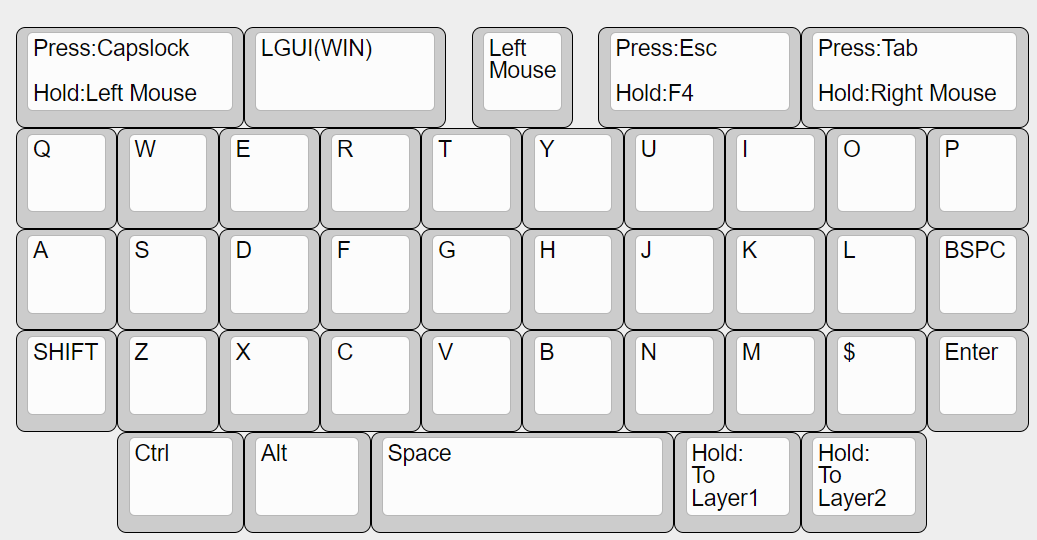
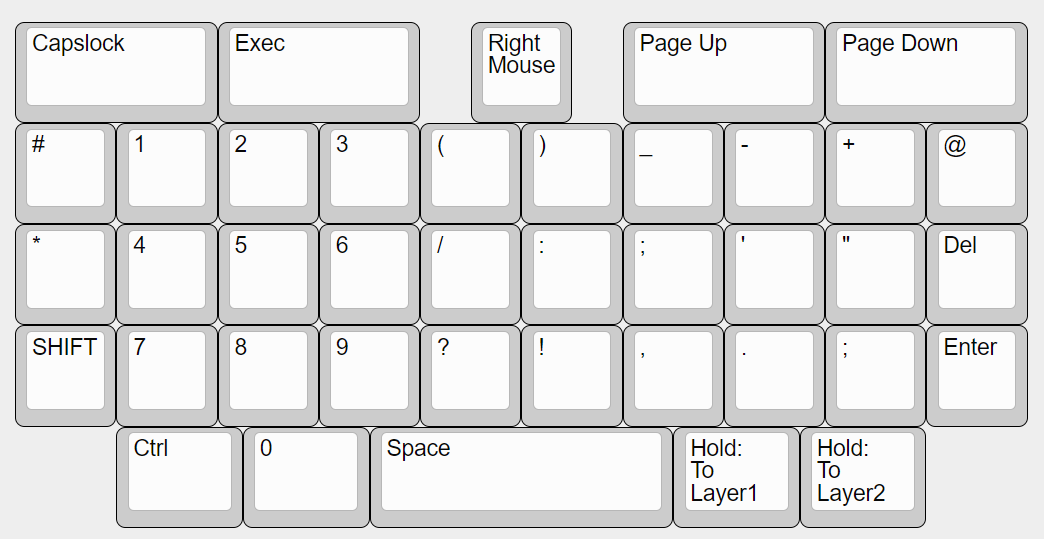
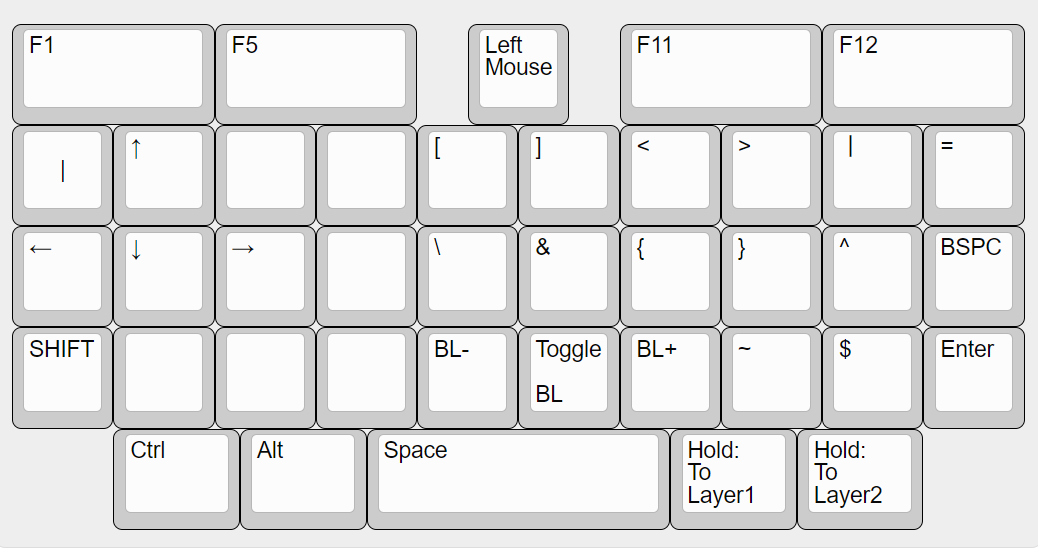
The Hackberry Pi has several pretty neat features. For example, there are multiple layers for the keyboard. This means, that almost all symbols can be pressed somehow, even if a bit tricky. Below are images that show the default layout. Please note, that those images are from this github page. I only copied those onto this website due to the fact that after a file-structure change in the repo, those might be dead links.
Installation
- Flash a new Raspberry Pi OS 64 minimal onto the sd card.
- Open the
/boot/config.txton the sd card - Add the following line at the end of the file:
dtoverlay=vc4-kms-dpi-hyperpixel4sq - Insert sd card into device
- Boot
- Wait for the rpi to start up (for initializing everything for the first time)
- Reboot
Post installation
Useful Packages
A headless installation of the Raspberry Pi OS can be quite underwhelming and is not very user-friendly. The following list provides useful packages with a nice TUI:
btop: system ressource monitorgit: git clinewsboat: tui rss readerneovim: tui editorfastfetch: show system information in a cool wayw3m: tui browsergpm: use the mouse in the terminalyazi: tui file explorer. not in the offical repos. download from github and install the dependencies.
Changing the font size
Sometimes the font in the terminal is too small or too big. To adjust the font run:
sudo dpkg-reconfigure console-setupHere choose the UTF-8, Combined - Latin, ... or Guess optimal character set. After this you can select the font and select the font size.